How to approve a saved record in YakTables
An approval should cover exactly what was reviewed. YakTables records your decision against the saved version of the record, and any later change to it needs a fresh review.
Before you start
- Approver or manager access to the application
- A review requested by someone else on a record you didn't create
Transcript
Approve the exact version of a record you reviewed, with a note for the record.
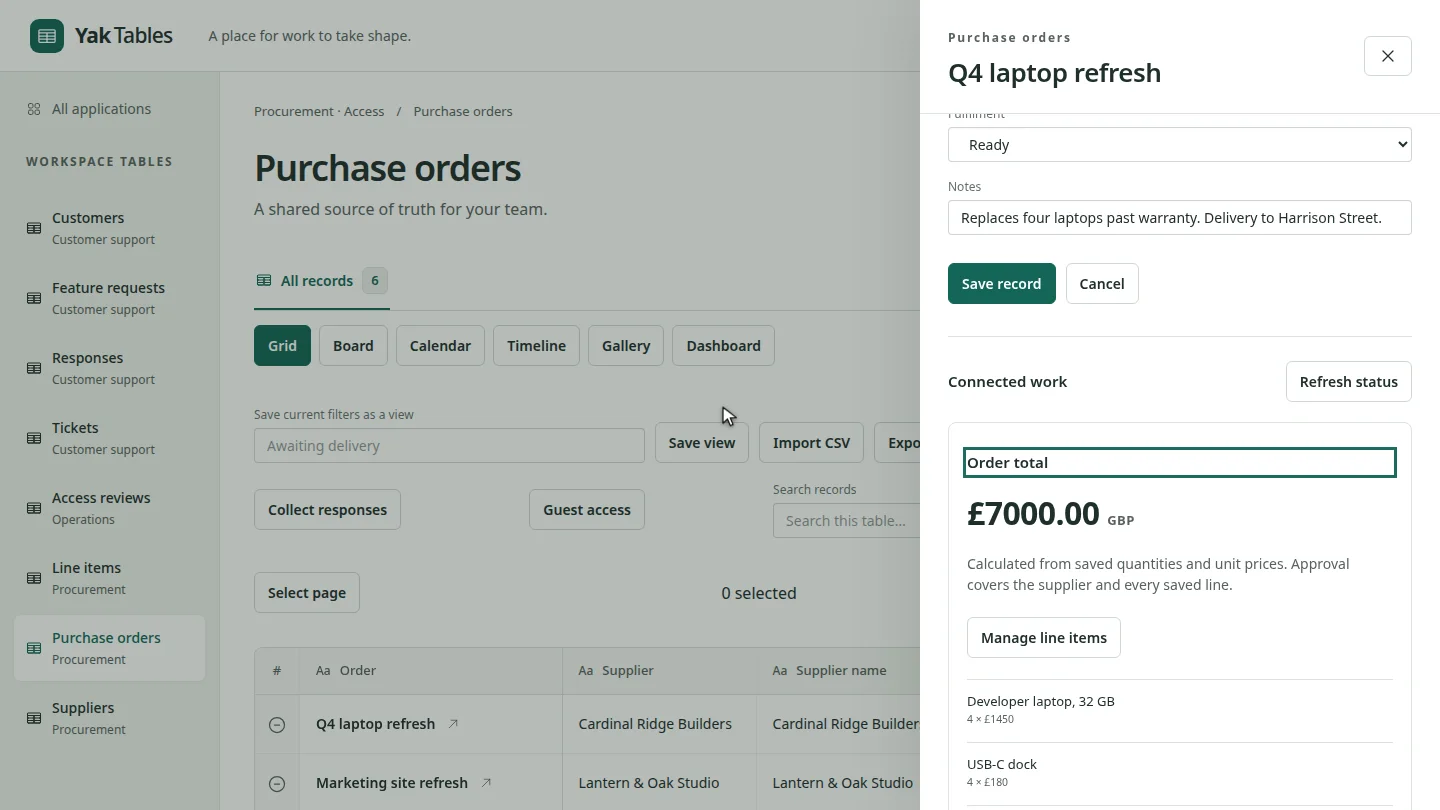
In My work, under Waiting for your review, select the request. The purchase order opens with its total and line items.
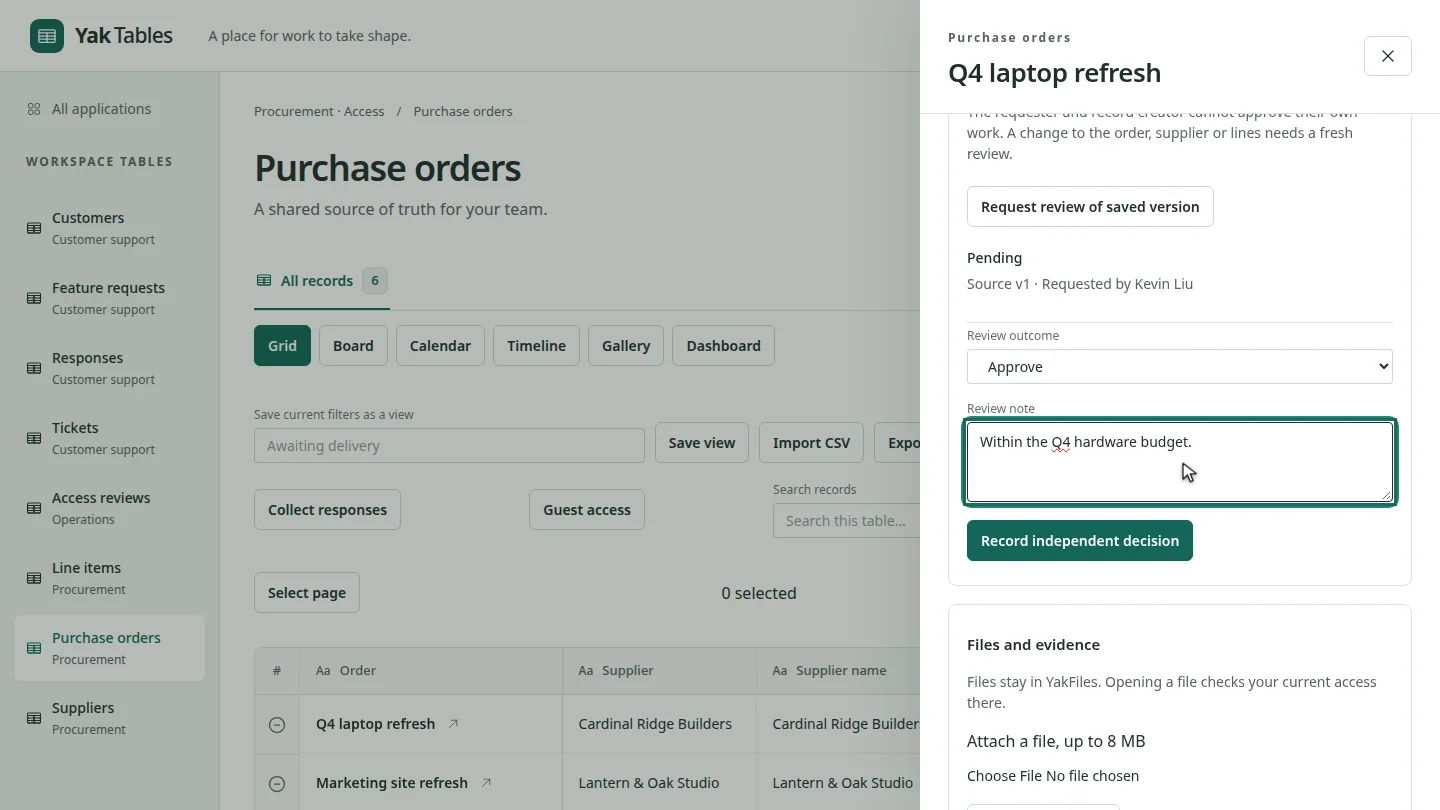
Scroll to Human approval. Leave Review outcome on Approve, and add a note explaining your decision.
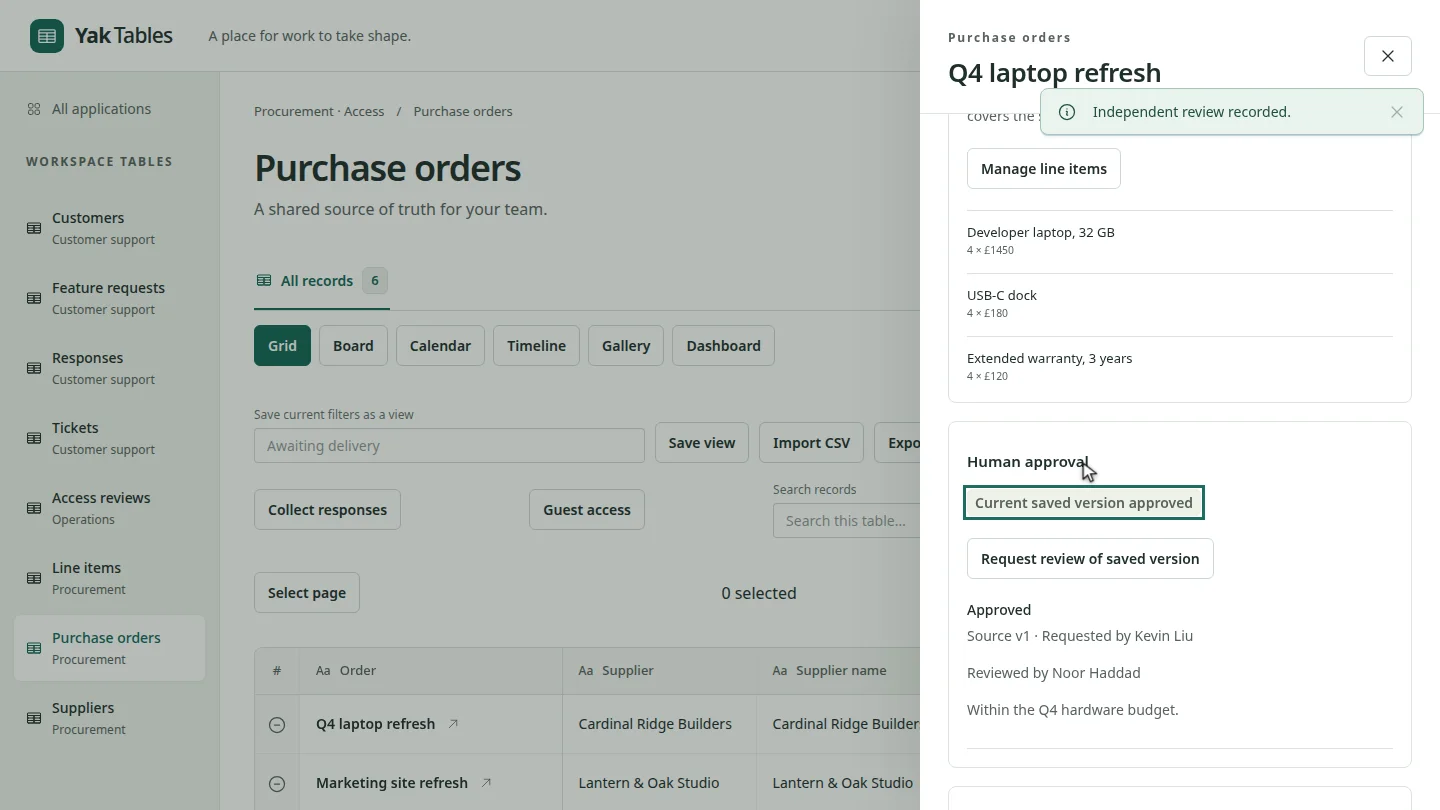
Select Record independent decision. The panel shows Current saved version approved, with your name and note in its history.
Steps
Open the review request ▶ 0:06
Open My work. Under Waiting for your review, select the request.
Choose an outcome ▶ 0:14
Under Human approval, choose Approve or Reject in Review outcome, and add a Review note.
Record the decision ▶ 0:22
Select Record independent decision.
Next steps
Updated 2026-10-26
approve sign off independent review purchase order approval reject