How to add a field to a table in YakTables
Processes change: an audit now needs a link to its evidence, or a request needs a cost centre. Adding a field updates the table for everyone without touching existing records, which simply leave the new field empty.
Before you start
- Manager access to the application
Transcript
Add a new column to a table without disturbing the records already in it.
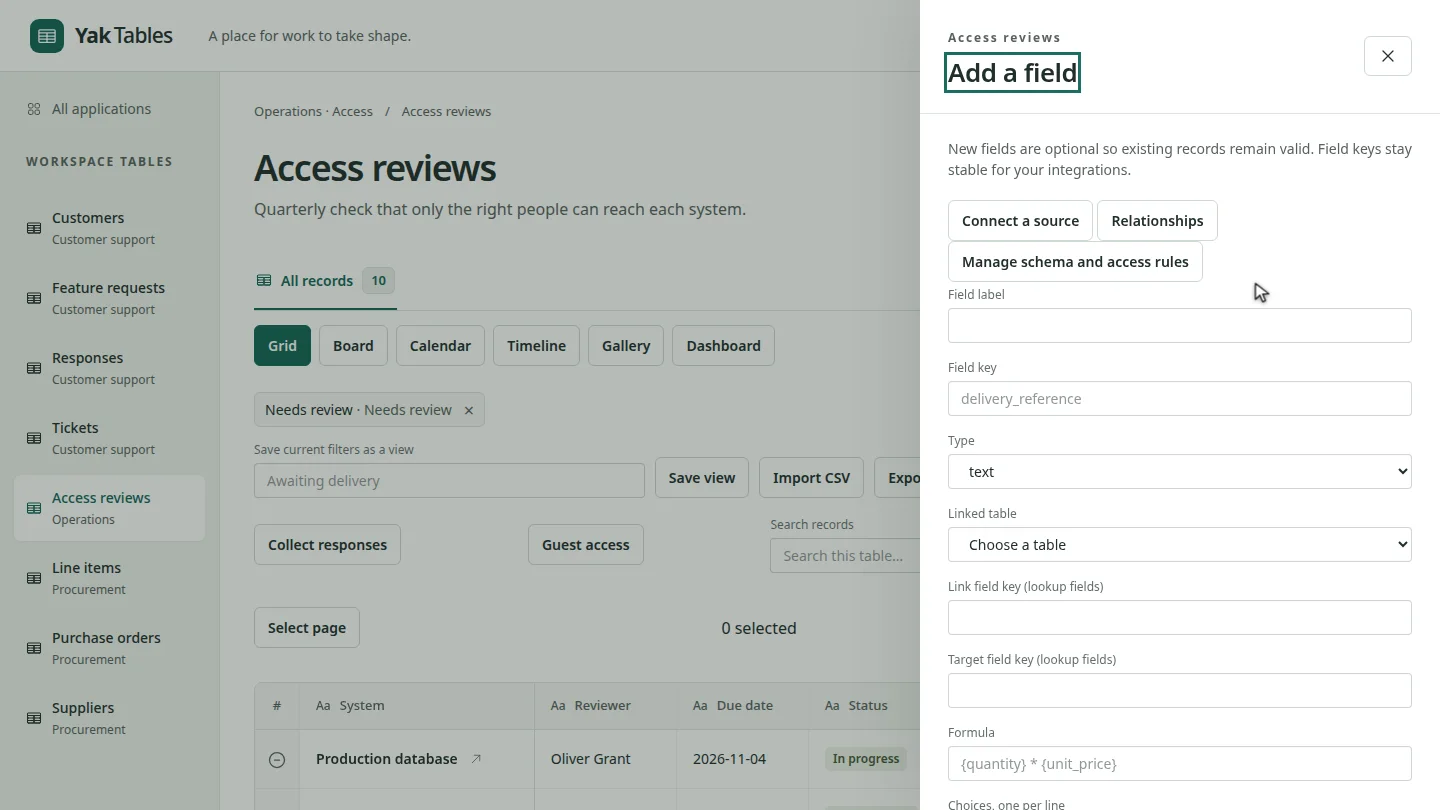
Open the table and select Fields. The Add a field panel explains that new fields are optional, so existing records stay valid.
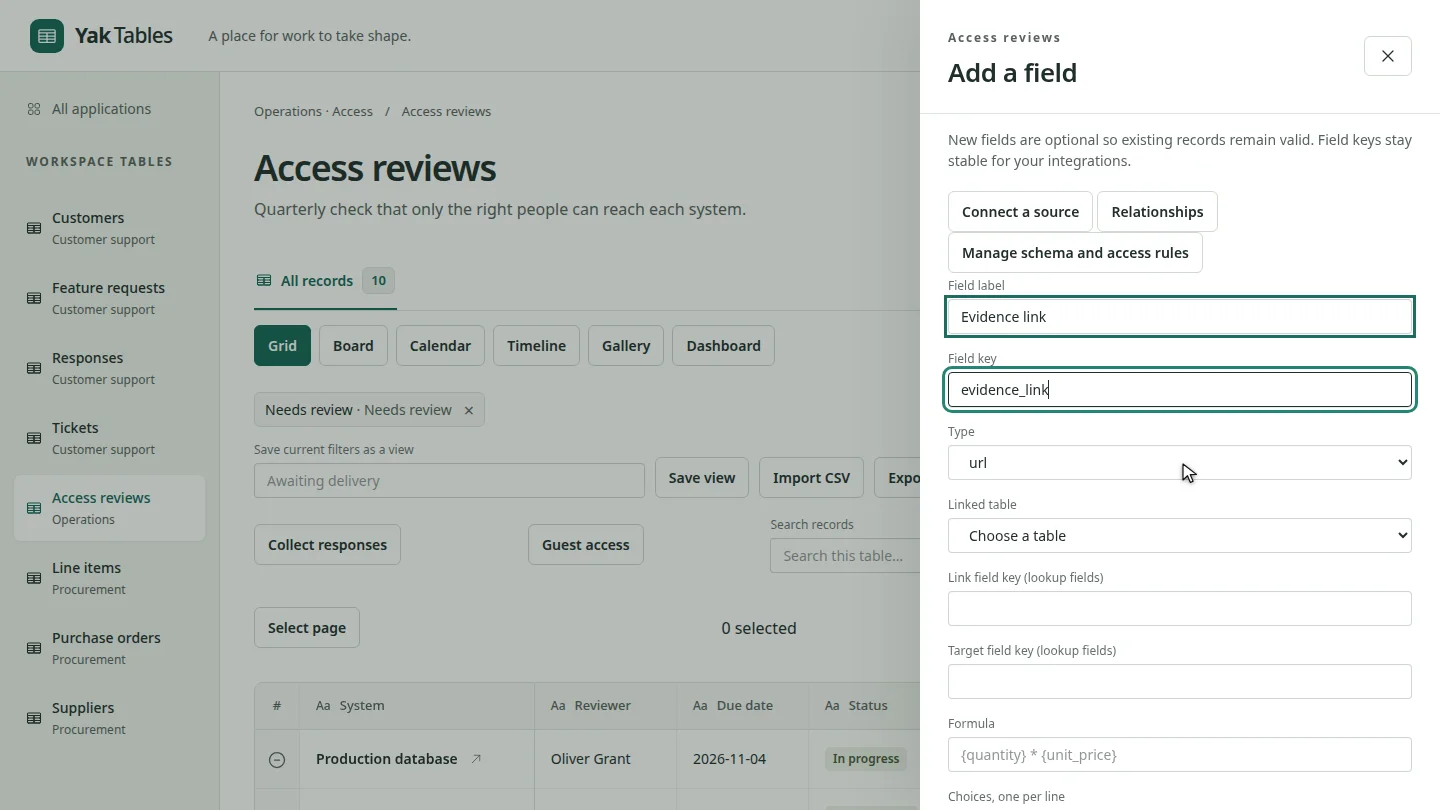
Type a label. Add a field key, the stable name your integrations use, and choose the type. For a web address, choose url.
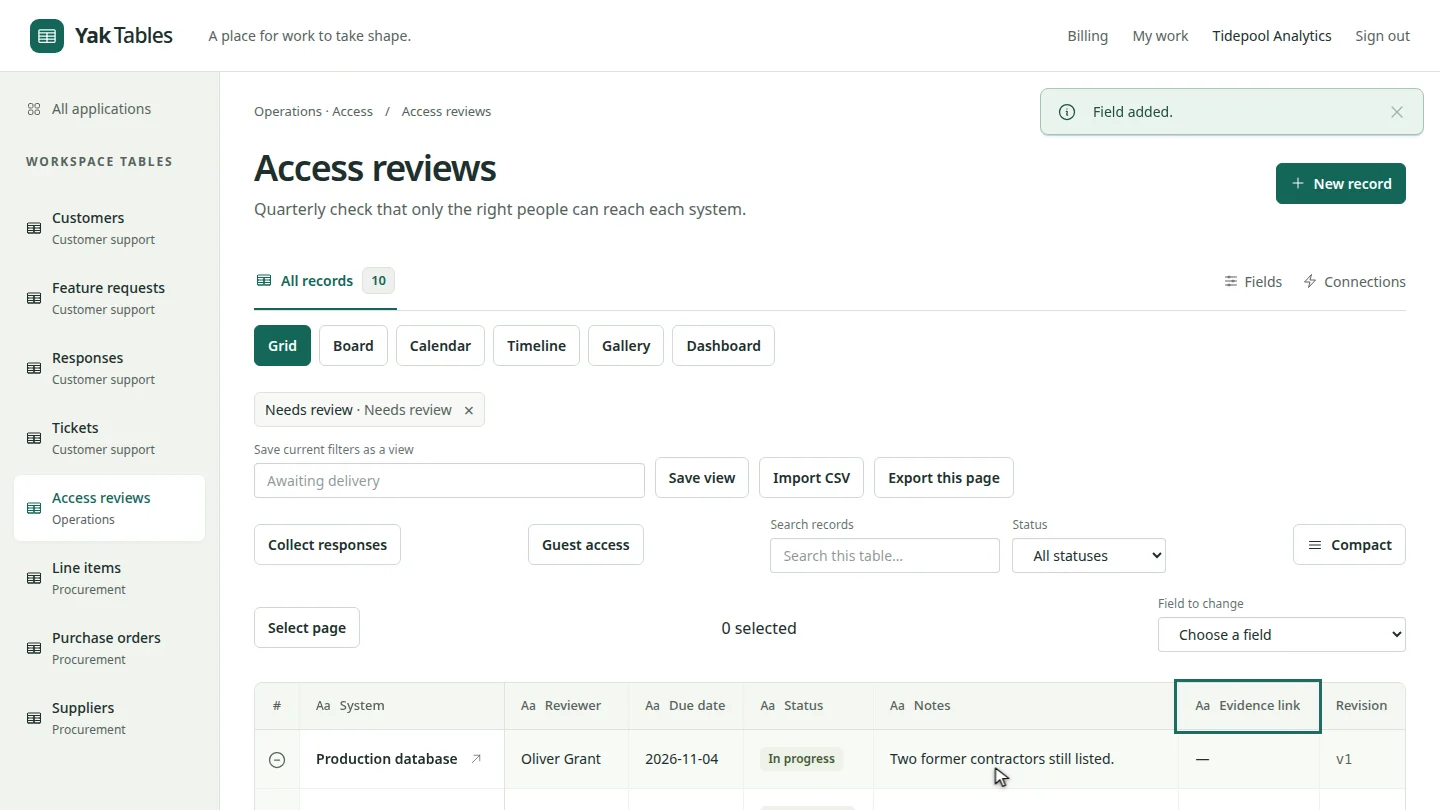
Select Add field. The panel closes, and Evidence link is now a column in the grid, empty for every existing record.
Steps
Open the fields panel ▶ 0:05
Open the table, then select Fields.
Describe the field ▶ 0:15
Enter a Field label and a Field key, then choose a Type.
Add the field ▶ 0:24
Scroll to the end of the panel and select Add field. The new column appears in the grid.
Next steps
Updated 2026-10-26
new column add column field type schema