How to filter records and save a view in YakTables
A team usually works from a slice of a table, such as the tickets under investigation. Saving the filter as a view puts that slice one click away for everyone, and you can export it as a CSV file.
Before you start
- Edit access to the table to save views
Transcript
Save the slice of a table your team works from, and export it when you need it.
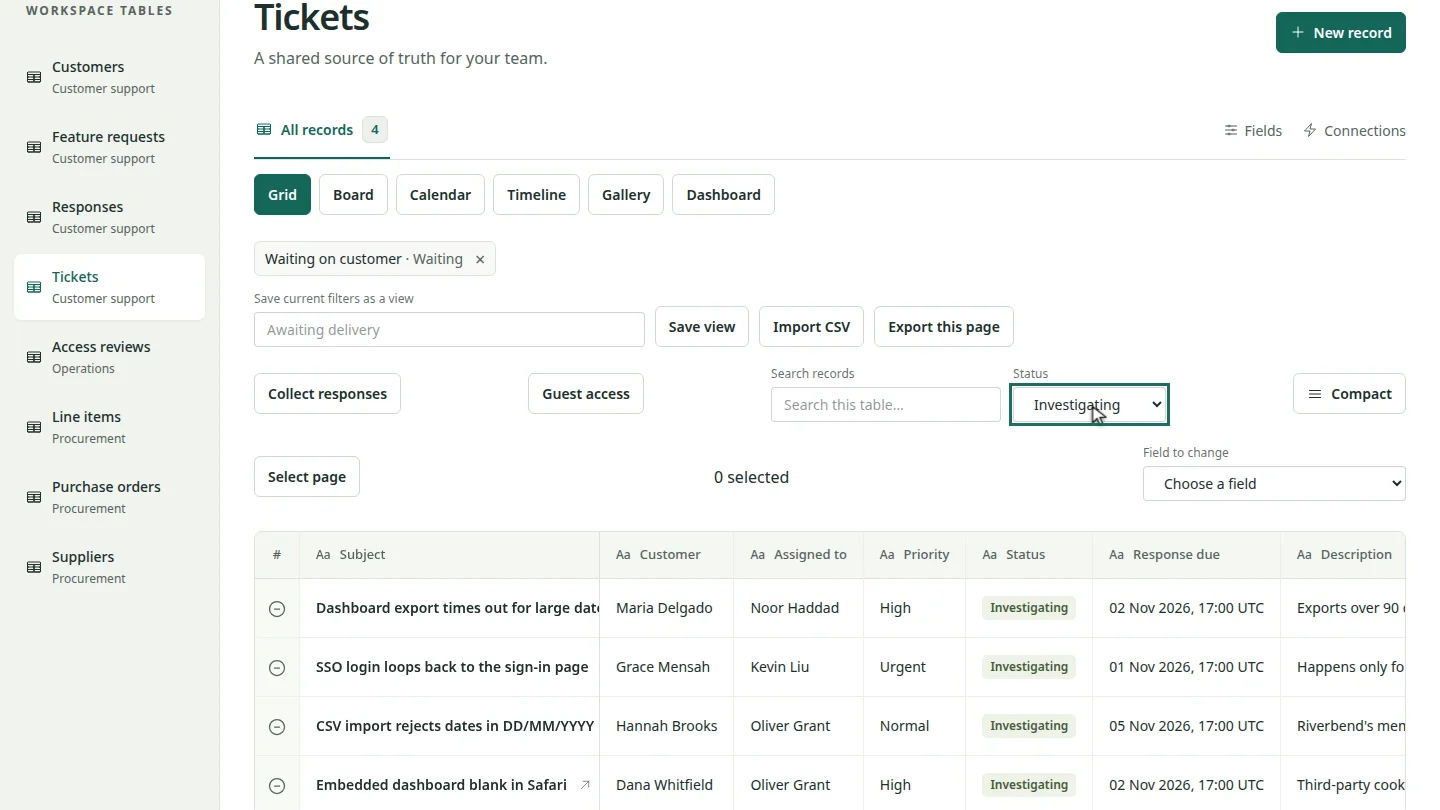
Open the table and choose a status. The grid now shows only the tickets under investigation.
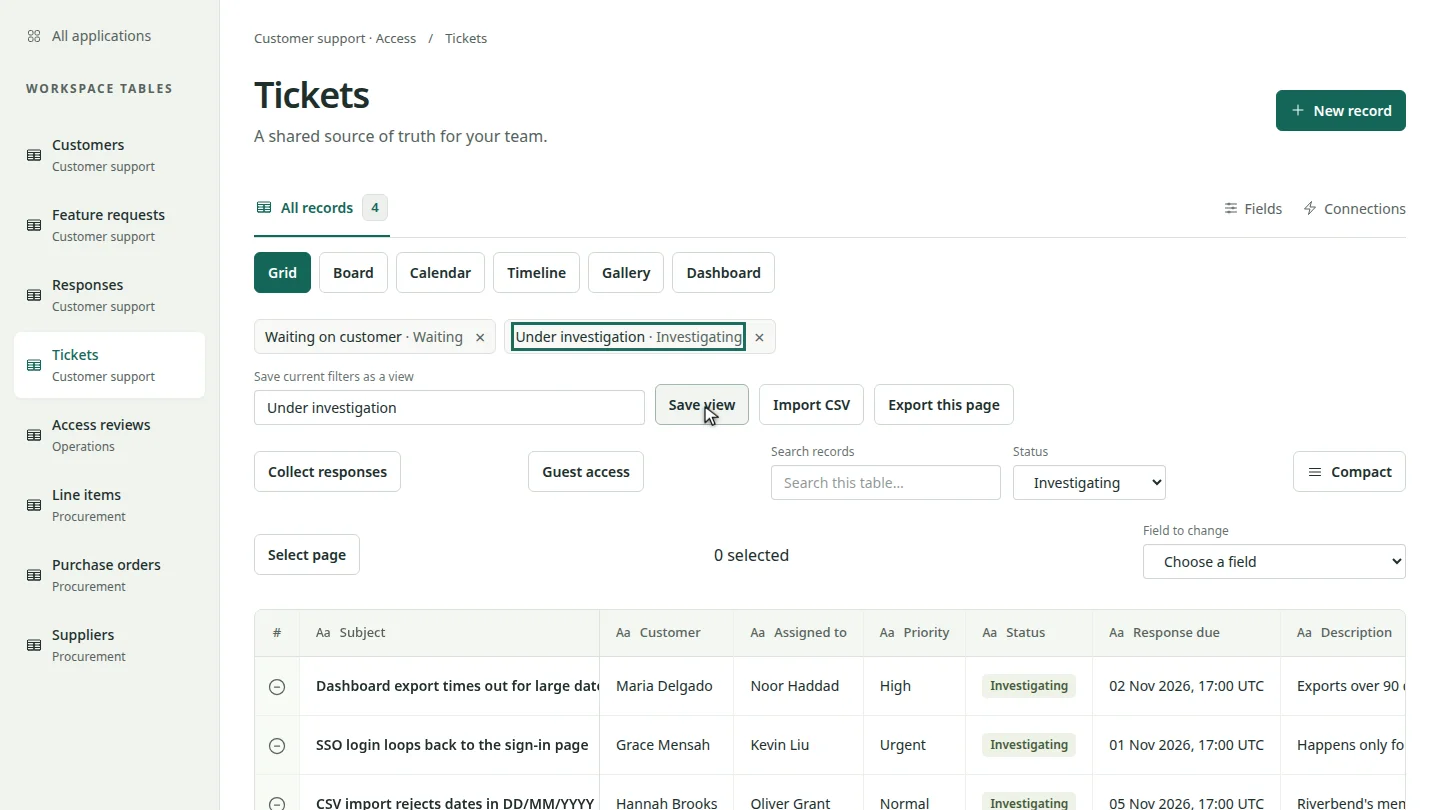
Under Save current filters as a view, type a name and select Save view. The new view joins the chips above the table.
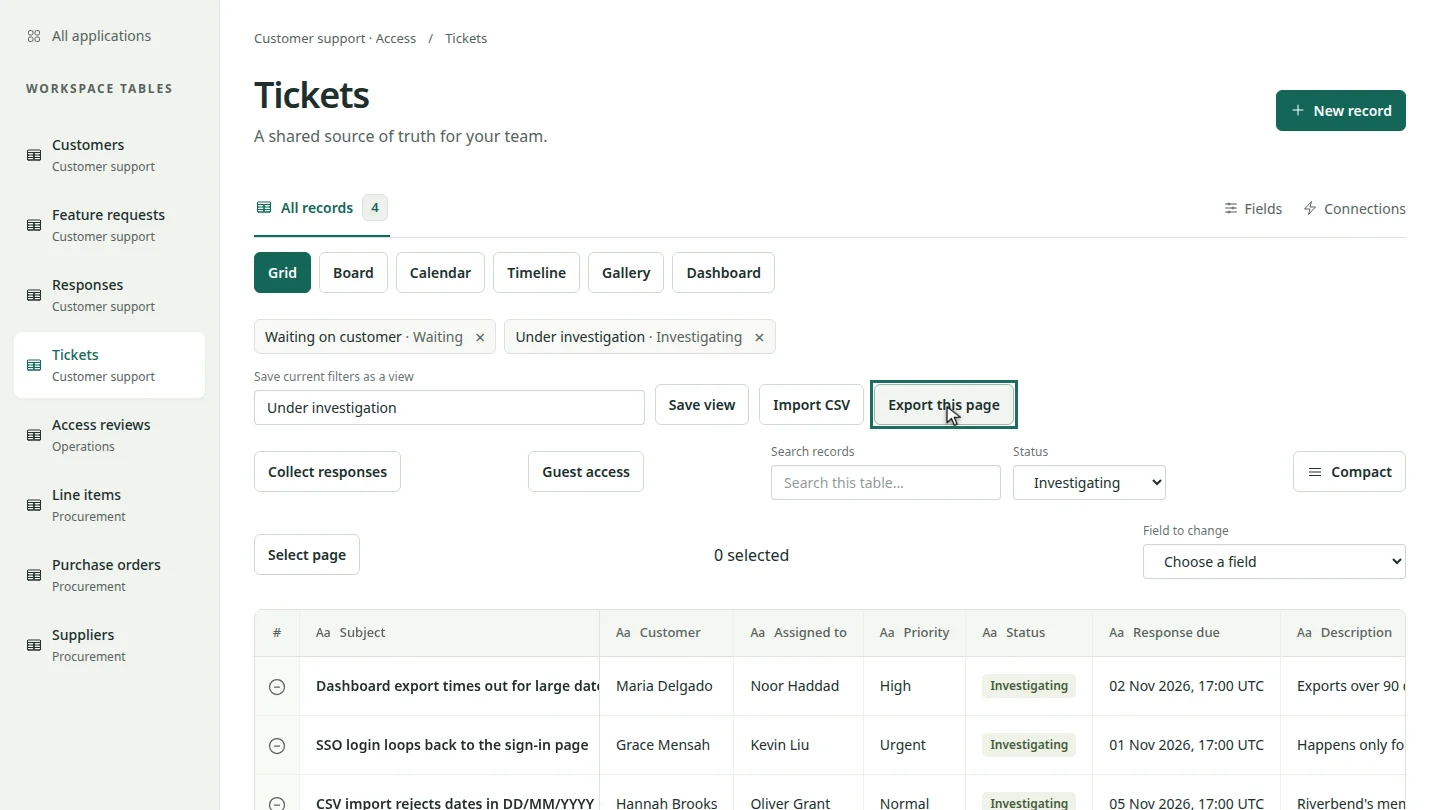
To share the filtered list outside YakTables, select Export this page. It downloads the matching records on this page as a CSV file.
Steps
Filter the records ▶ 0:06
Open the table. Under Status, choose a status, or type in Search records.
Save the view ▶ 0:13
In Save current filters as a view, enter a name, then select Save view.
Export the records ▶ 0:22
Optional: select Export this page to download the filtered records on this page as a CSV file.
Next steps
Updated 2026-10-26
filter saved view search records export csv queue