How to start from a workflow template in YakTables
Some processes need several linked tables, such as employees, their onboarding cases and the tasks in each case. A workflow template creates the whole set at once, already linked, so you can start adding records instead of designing fields.
Before you start
- A workspace administrator in YakTables
- The workflow isn't installed yet
Transcript
Set up a complete, linked workflow in one step instead of building each table yourself.
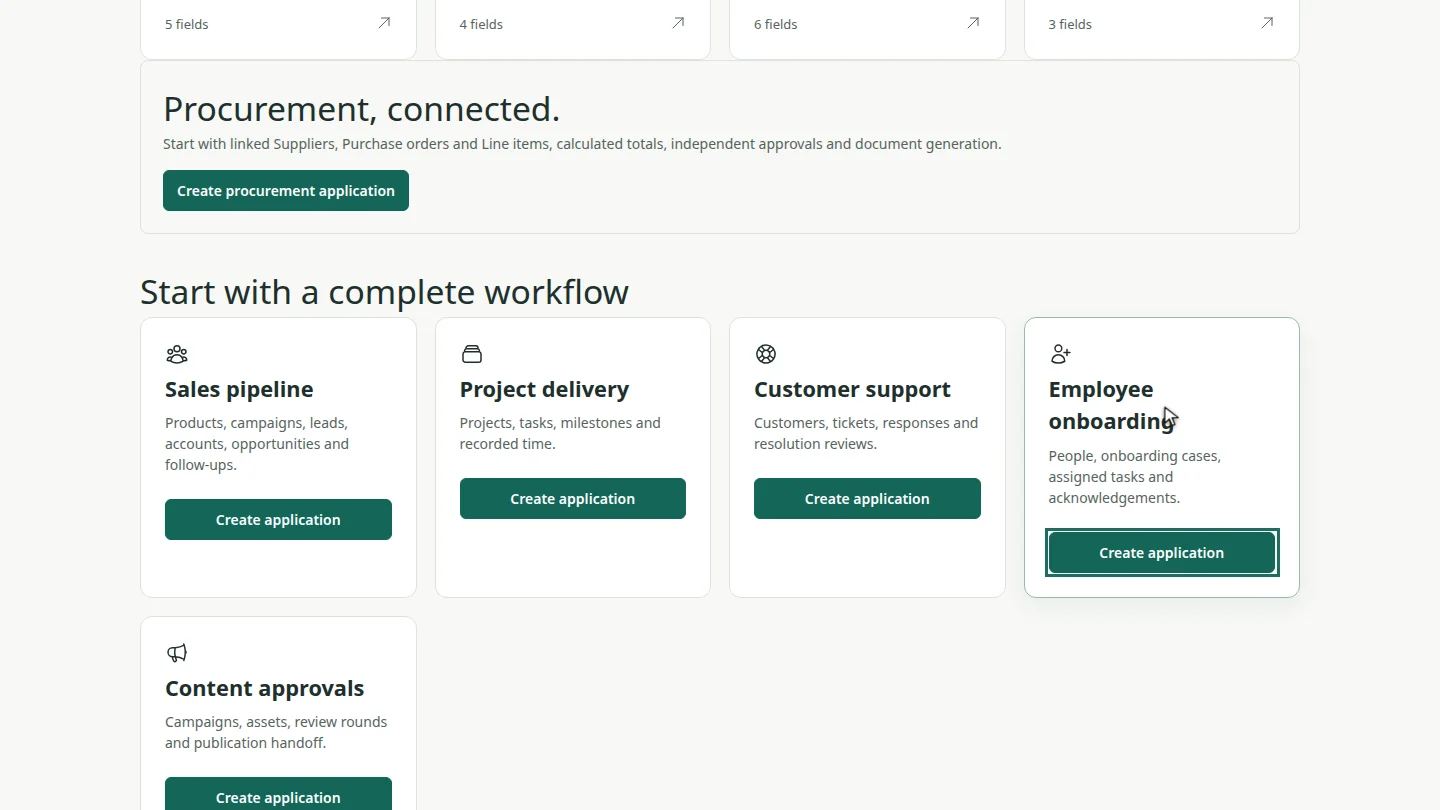
On the workspace home, scroll to Start with a complete workflow. Each template lists the tables it creates. For Employee onboarding, select Create application.
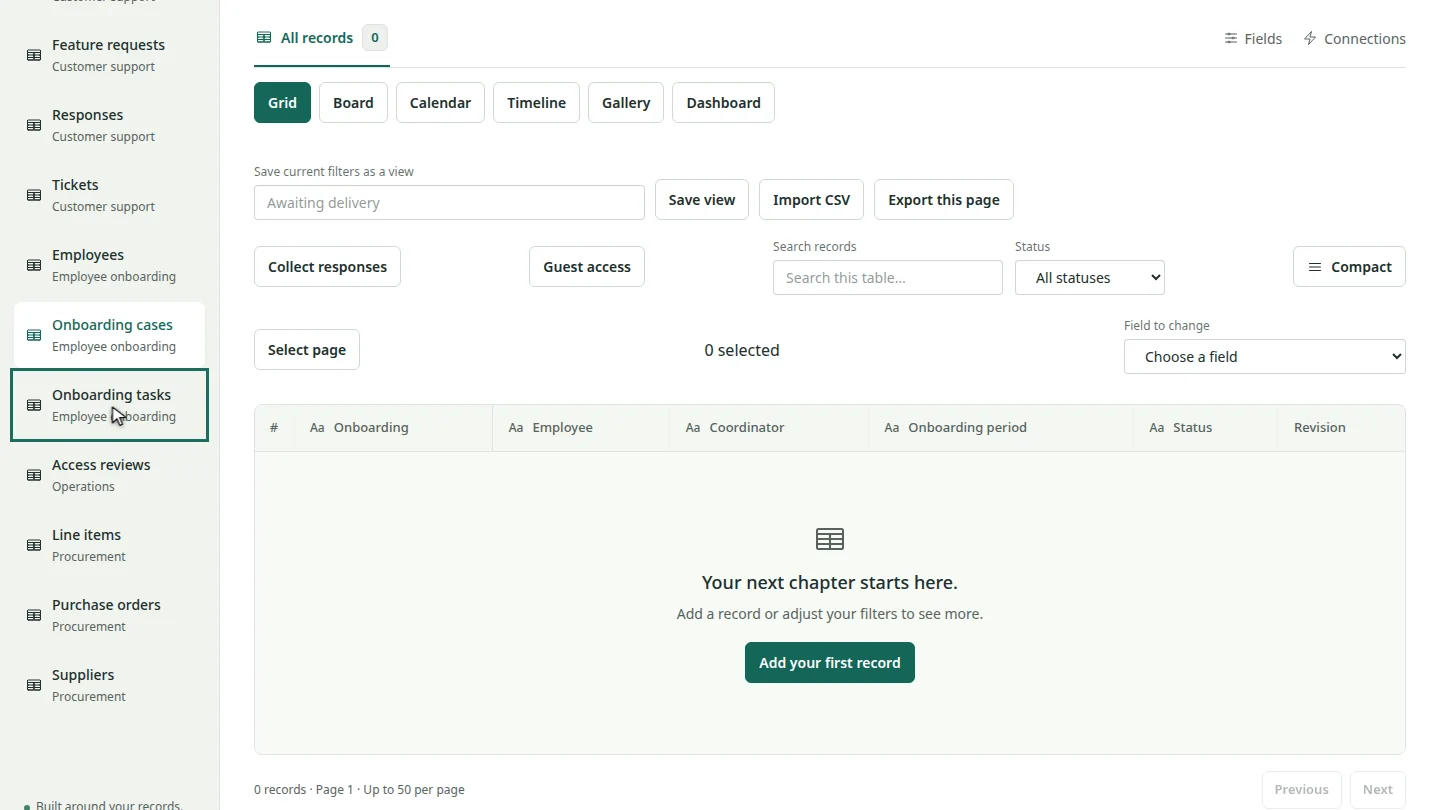
The Onboarding cases table opens. In the sidebar, Employees and Onboarding tasks sit beside it, already linked.
Steps
Choose a template ▶ 0:07
Under Start with a complete workflow, find the template and select Create application.
Find the new tables ▶ 0:18
The first table opens. The sidebar lists the application's other tables.
Next steps
Updated 2026-10-26
template starter onboarding crm project tracker